How to Order a License
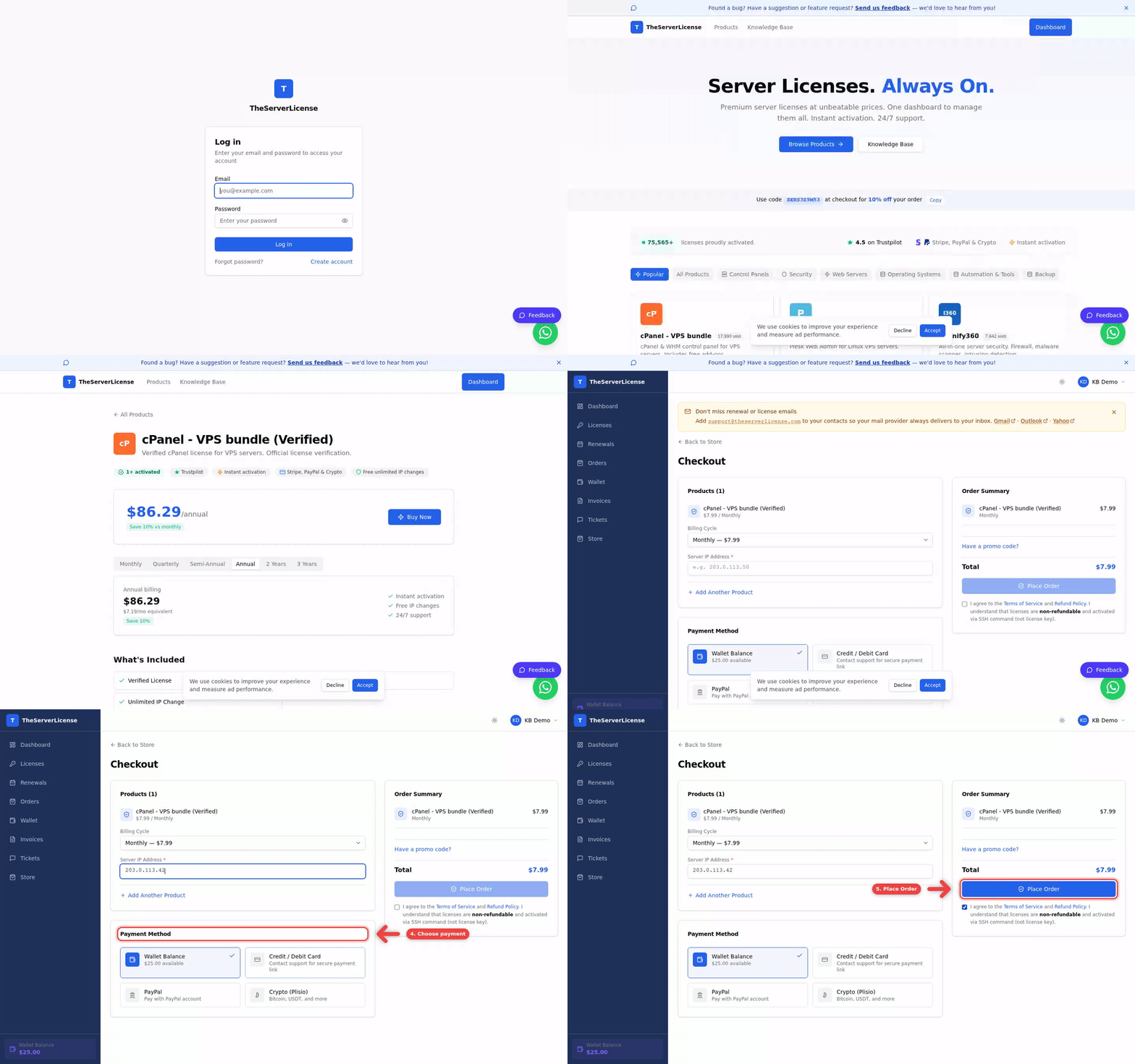
This walkthrough takes you from landing page to active license in under two minutes. We cover product selection, billing cycle choice, server IP entry, payment method selection, and activation.
Before you order
Have this ready:
- Your server's IP address (e.g.
203.0.113.42) — licenses bind to a specific IP. - A payment method — wallet balance, card, or crypto.
- Optional: a promo code (see How to apply a promo code).
Step-by-step
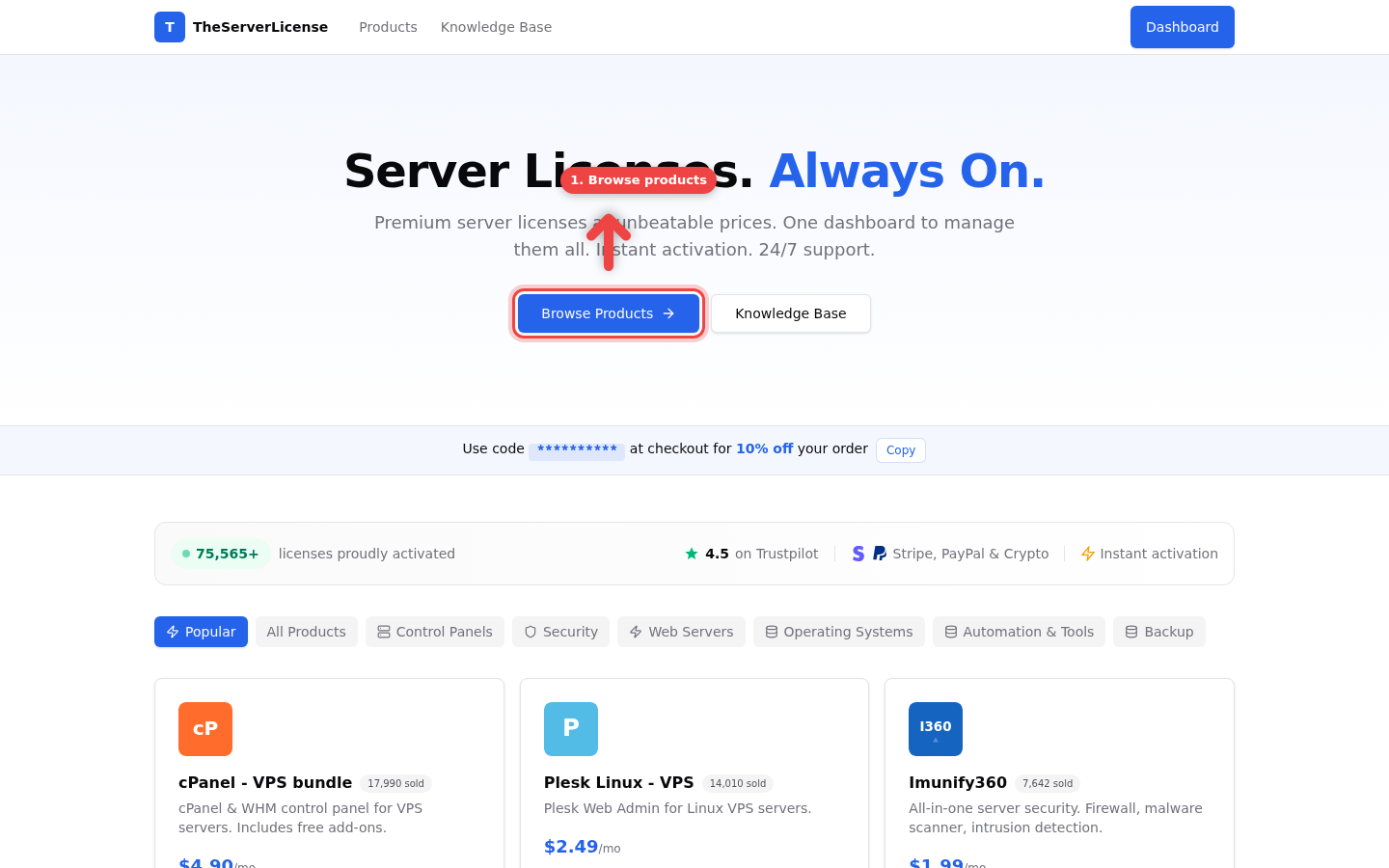
1. Start at the store
Go to theserverlicense.com and click Browse Products in the hero section. You can also use the Products link in the top navigation.
2. Pick a product and billing cycle
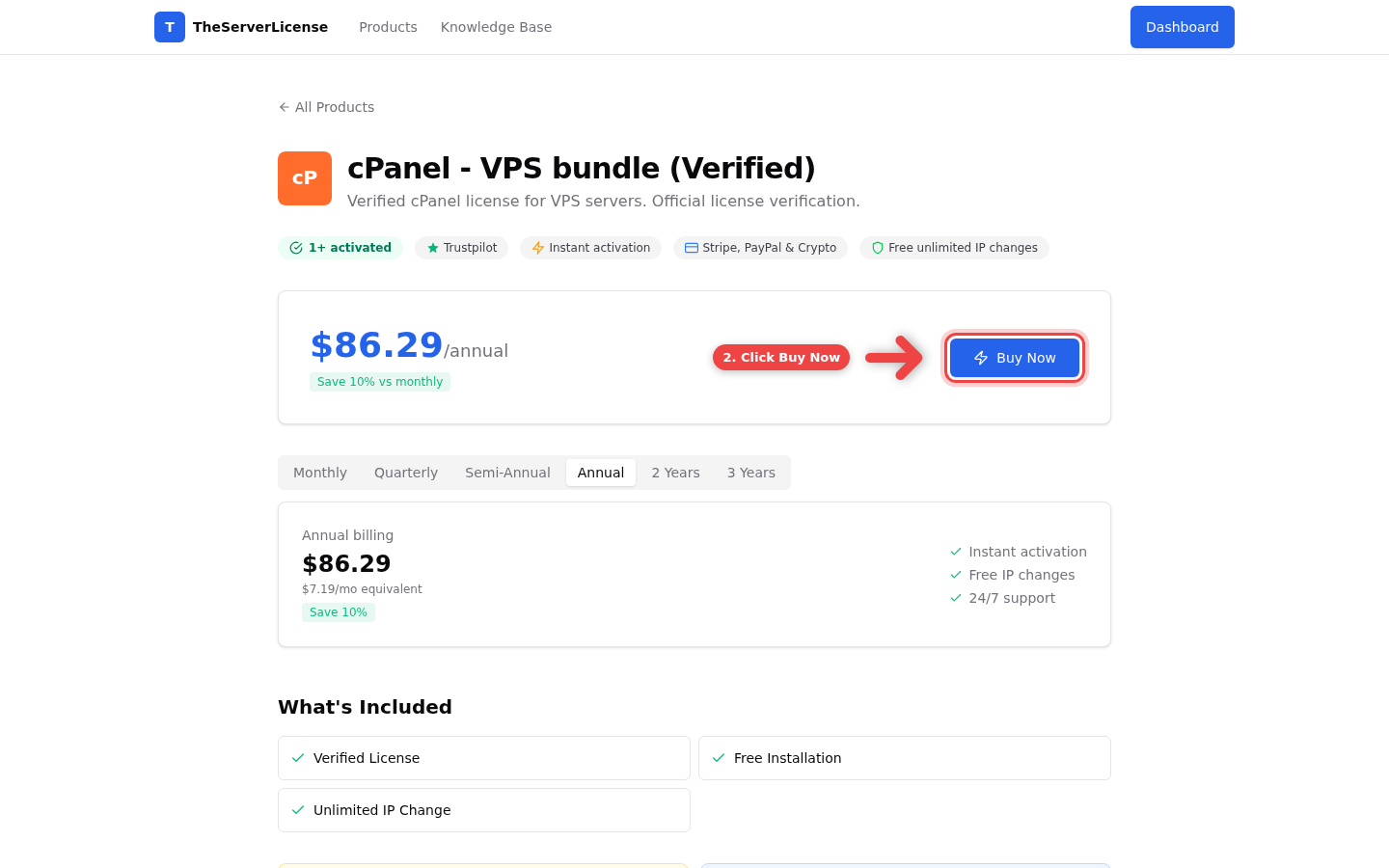
On the product page, pick your billing cycle. Monthly is the default; longer cycles (Quarterly, Semi-Annual, Annual, 2-Year, 3-Year) apply automatic discounts — up to 30% off vs monthly. Click Buy Now when the cycle you want is selected.
3. Enter your server IP
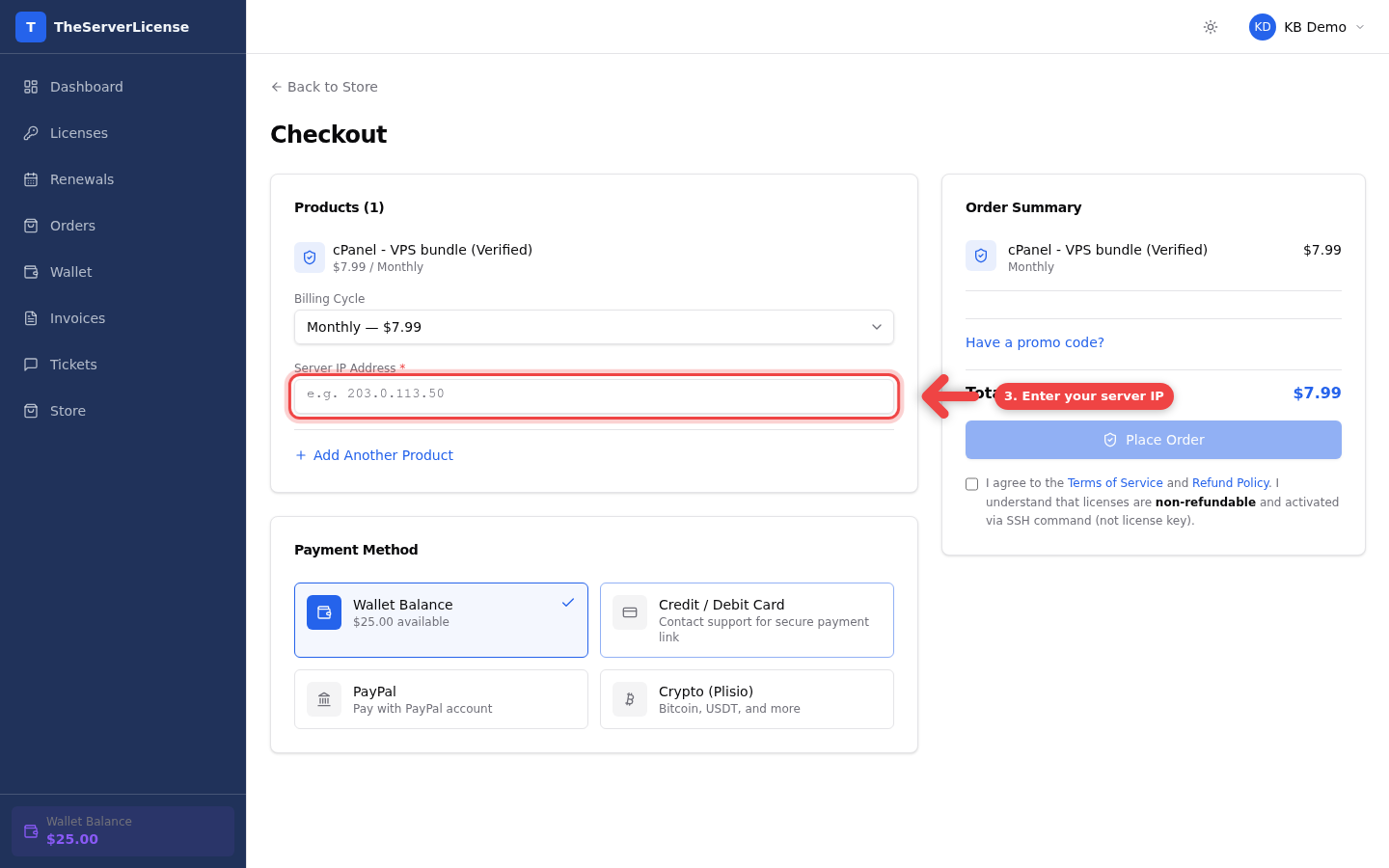
On the Checkout page, type your server's public IP address into the Server IP Address field. This is the IP your license activates on — it must match the server where you'll run the licensed software.
4. Choose a payment method
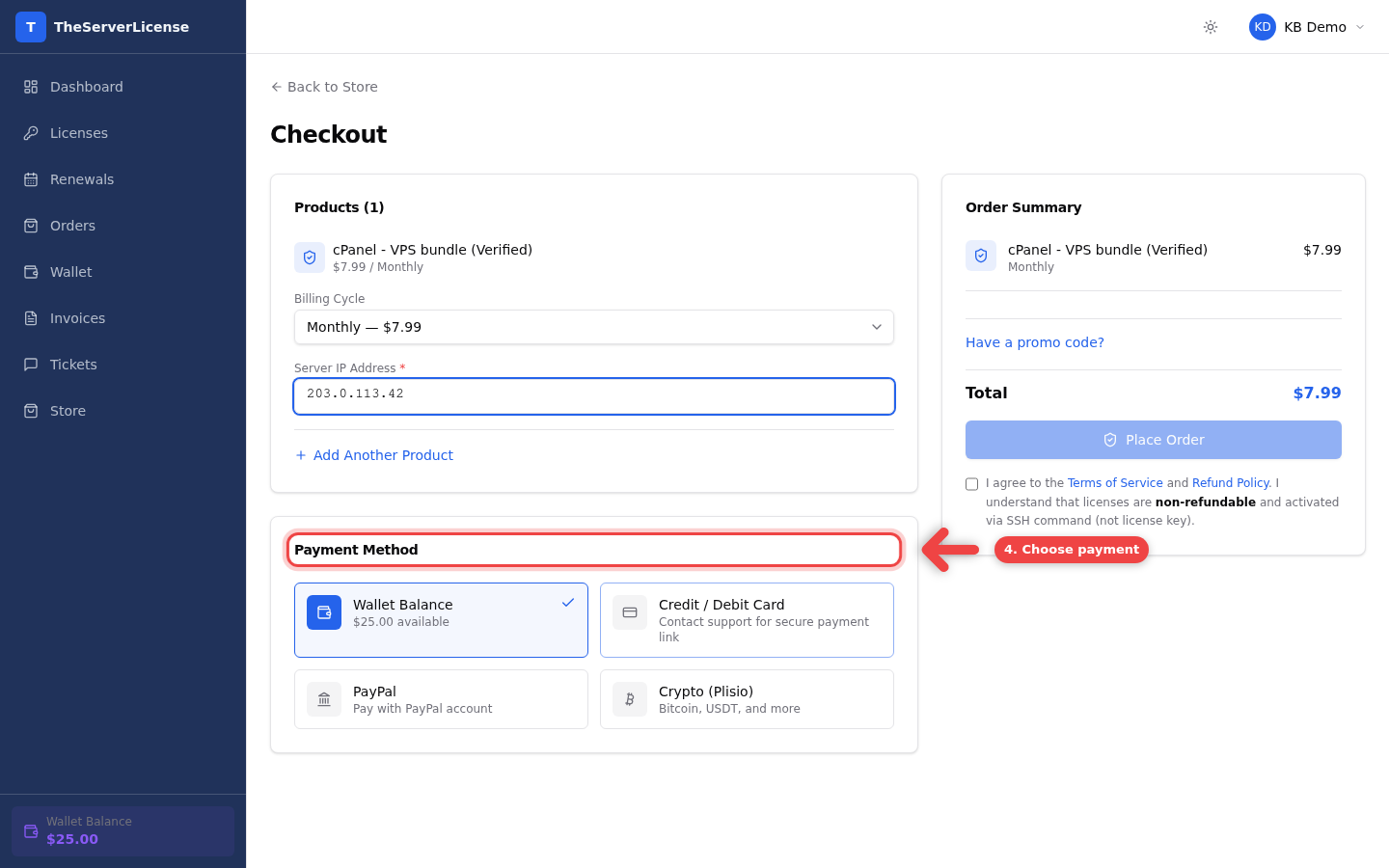
Scroll to the Payment Method card and pick how you'd like to pay: Wallet Balance, Credit/Debit Card, or Crypto. Wallet balance pays straight away; card and crypto open a secure payment page.
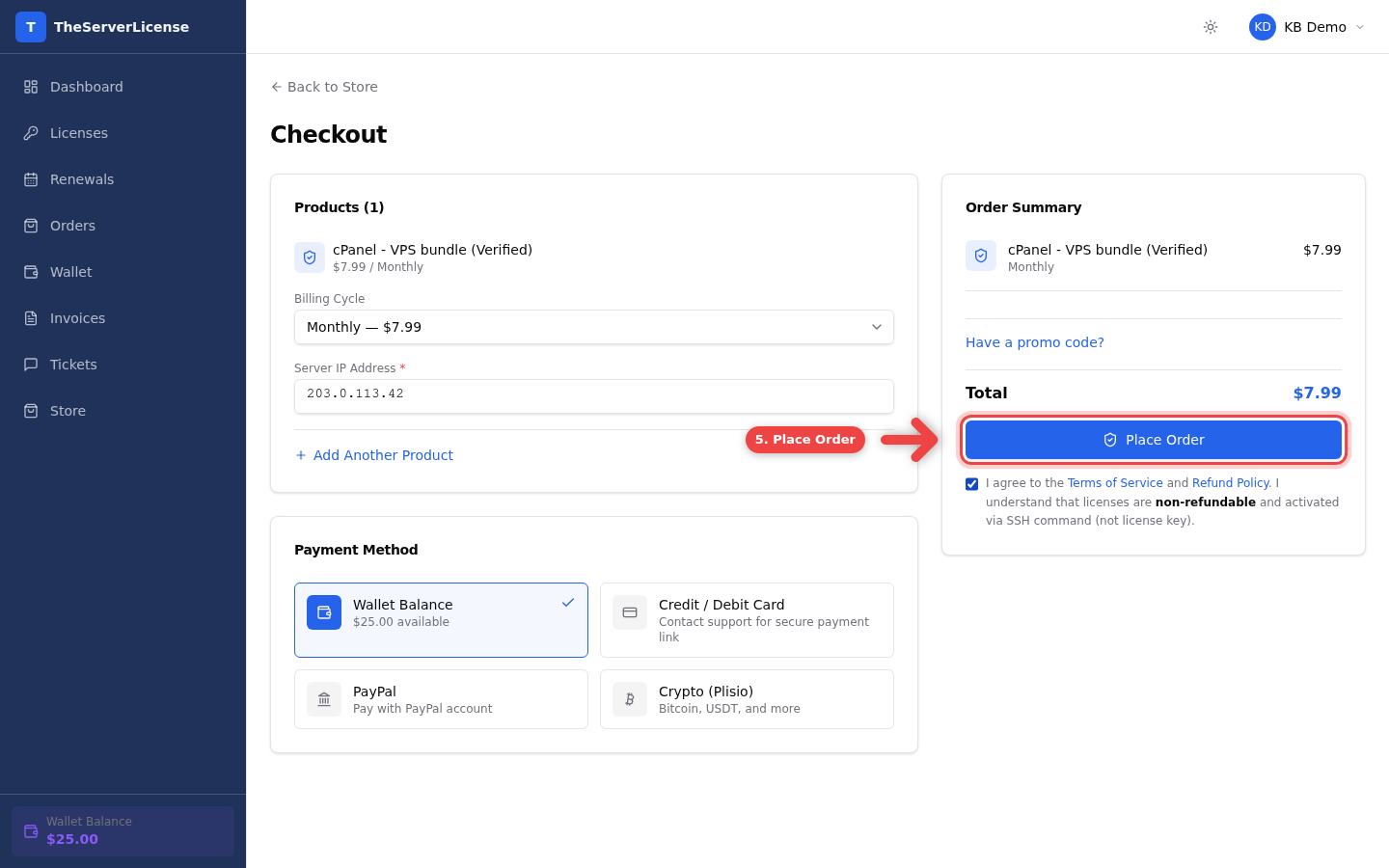
5. Agree to terms and click Place Order
Tick the Terms of Service checkbox and click Place Order. Wallet payments activate instantly. Card and crypto payments activate the moment the payment is confirmed.
Watch the full flow
Right after you place the order
| Payment method | What happens |
|---|---|
| Wallet balance | License activates in milliseconds. The install command appears on the license detail page. |
| Credit / Debit Card | Redirects to Stripe. License activates the moment the charge clears (seconds). |
| Crypto | Quotes the amount in BTC, ETH or USDT. License activates once the payment is confirmed on the network, usually within minutes. |
Every payment method ends in the same place: a live license, the install command copy-to-clipboard, and a paid invoice in your account.
Frequently asked
Do I need an account first?+
Yes. Create a free account on theserverlicense.com in 30 seconds. No card required for signup — you only pay when you place an order.
What if I enter the wrong IP?+
Every standard license includes unlimited free IP changes. Go to the license detail page and click Change IP — no fee, no limit. See How to change your license IP.
Can I order multiple products in one checkout?+
Yes. On the checkout page, click Add Another Product to stack items in the same order. One payment covers the entire cart.
What billing cycle is cheapest?+
Longer cycles win. For most products, 3-Year billing delivers the steepest discount (often ~30% off monthly). Annual is the most common pick for the best balance between commitment and savings.
Can I apply a promo code at this step?+
Yes. The Have a promo code? link sits just under the subtotal in the Order Summary. Click it, paste your code, and click Apply. Full guide: How to apply a promo code.
When does the license activate?+
Wallet: instantly. Card: seconds, once the payment is confirmed. Crypto: usually 1-10 minutes, depending on the network.
Do you take PayPal? Not at the moment. We may offer it again in future.
Can I cancel an order before it's activated?+
Yes. If payment hasn't been captured yet, the order is still pending — go to Orders and cancel it. Once payment is captured and the license activates, you follow the regular cancellation flow — see How to cancel a license.
What if my payment fails?+
No license, no charge, no problem. Pending orders auto-expire after 24 hours. Just try again with a different method — your cart is preserved.
Do I get an invoice?+
Yes. Every paid order generates an invoice under Invoices. You can download the PDF anytime and forward it to your accountant.
Next steps
- How to deposit to wallet — earn up to 25% bonus on deposits of $100+
- How to apply a promo code — stack extra discounts
- Cheapest cPanel license — the full savings playbook
Questions? Email [email protected] — reply within a few hours.