How to Deposit to Your Wallet and Earn Bonus Credit
Your wallet is the fastest, cheapest way to pay for licenses on TheServerLicense.com. Every deposit of $100 or more adds free bonus credit — up to 25% more on every dollar you deposit. This guide walks you through the deposit flow step-by-step and shows exactly how much extra you earn at each tier.
Why deposit to wallet?
- Instant payments. Wallet-paid invoices settle in milliseconds — no gateway wait.
- Free bonus credit. Up to 25% extra on every deposit, starting at $100.
- Lower fees. No card-processing fees on wallet balance.
- Auto-renewal. Turn on auto-topup so licenses never expire from missed payments.
- Works for every product. Use wallet balance to pay for cPanel, Plesk, CloudLinux, LiteSpeed, JetBackup, Imunify360, WHMCS, DirectAdmin — everything in the catalogue.
Step-by-step
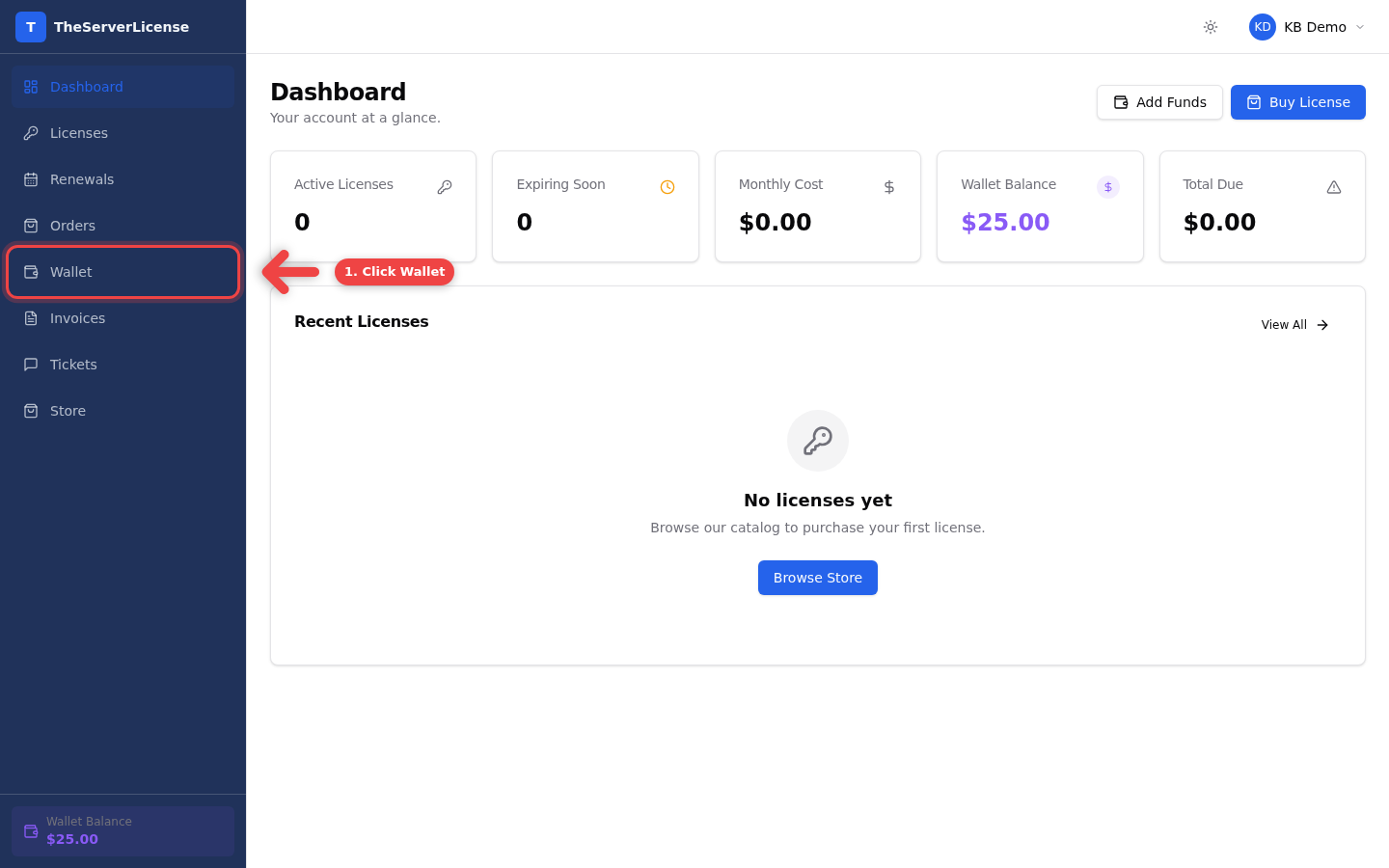
1. Sign in and click Wallet in the sidebar
From your TheServerLicense.com dashboard, click Wallet in the left navigation.
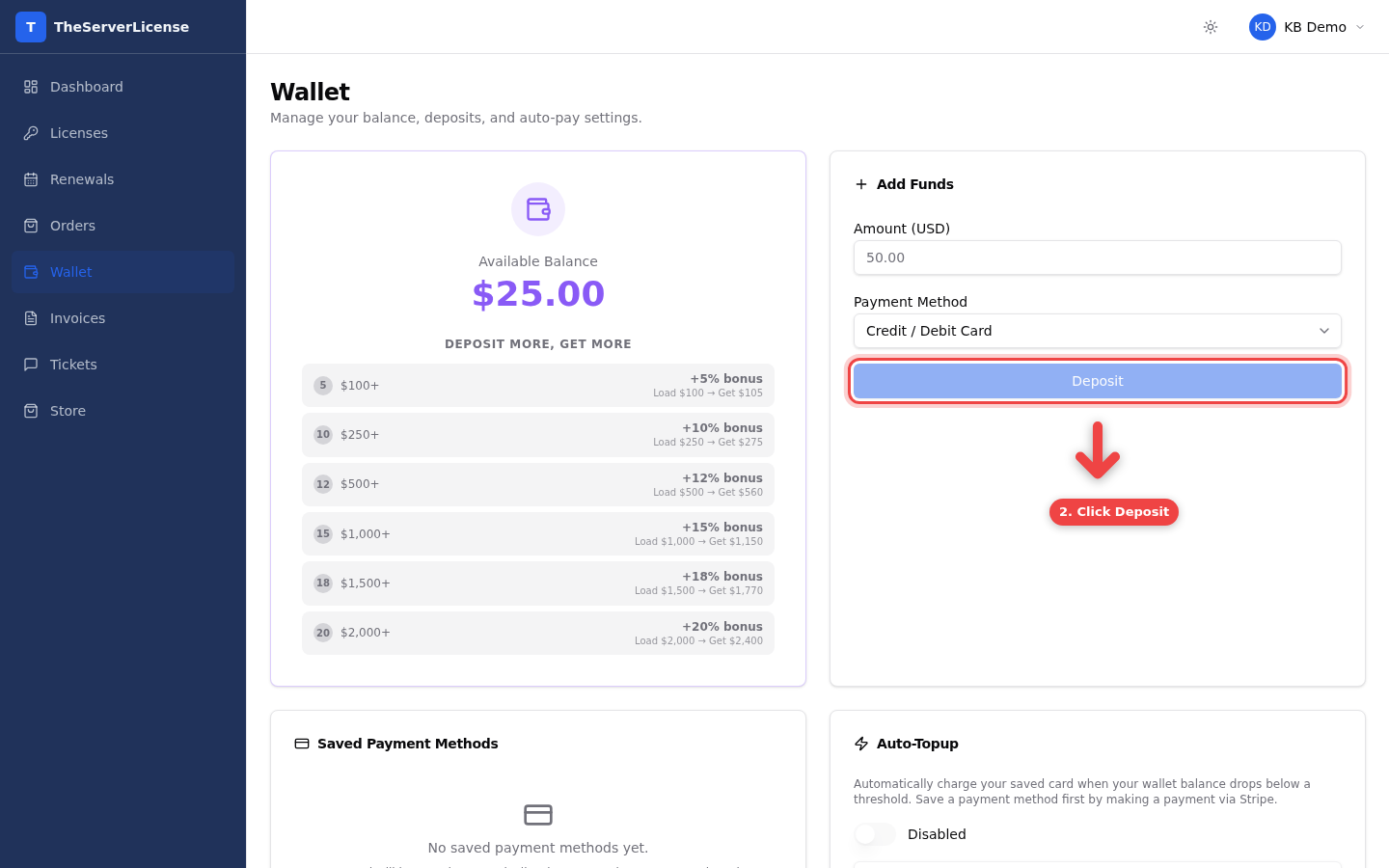
2. Enter the amount and click Deposit
On the Wallet page, the Add Funds panel is on the right. Type how much you want to deposit (any amount from $1 up) and click Deposit.
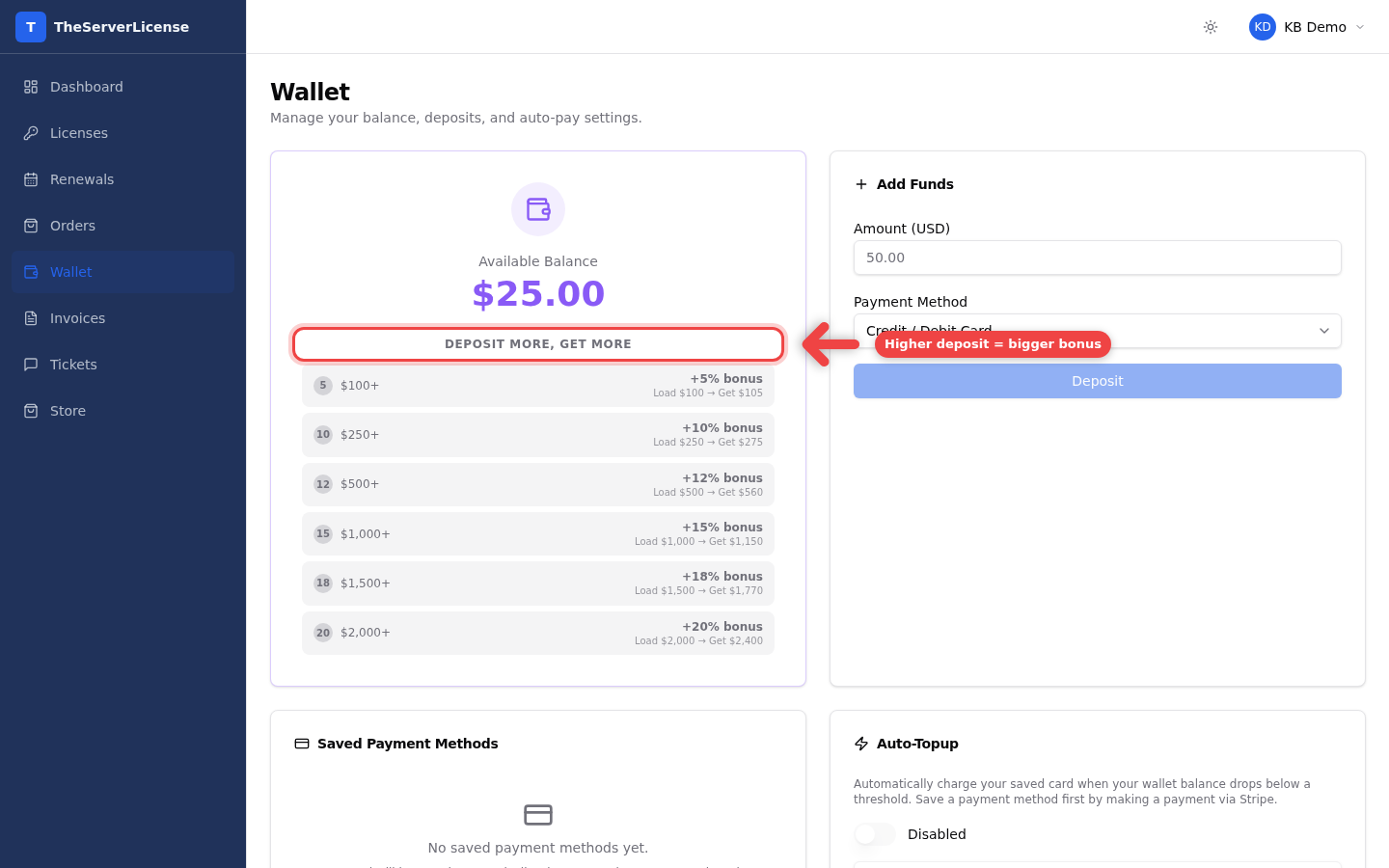
3. Understand the bonus tiers
The left panel shows the Deposit More, Get More ladder. The more you deposit in one go, the bigger the bonus stacks on top of your deposit. You see the exact "Load $X → Get $Y" figure before confirming.
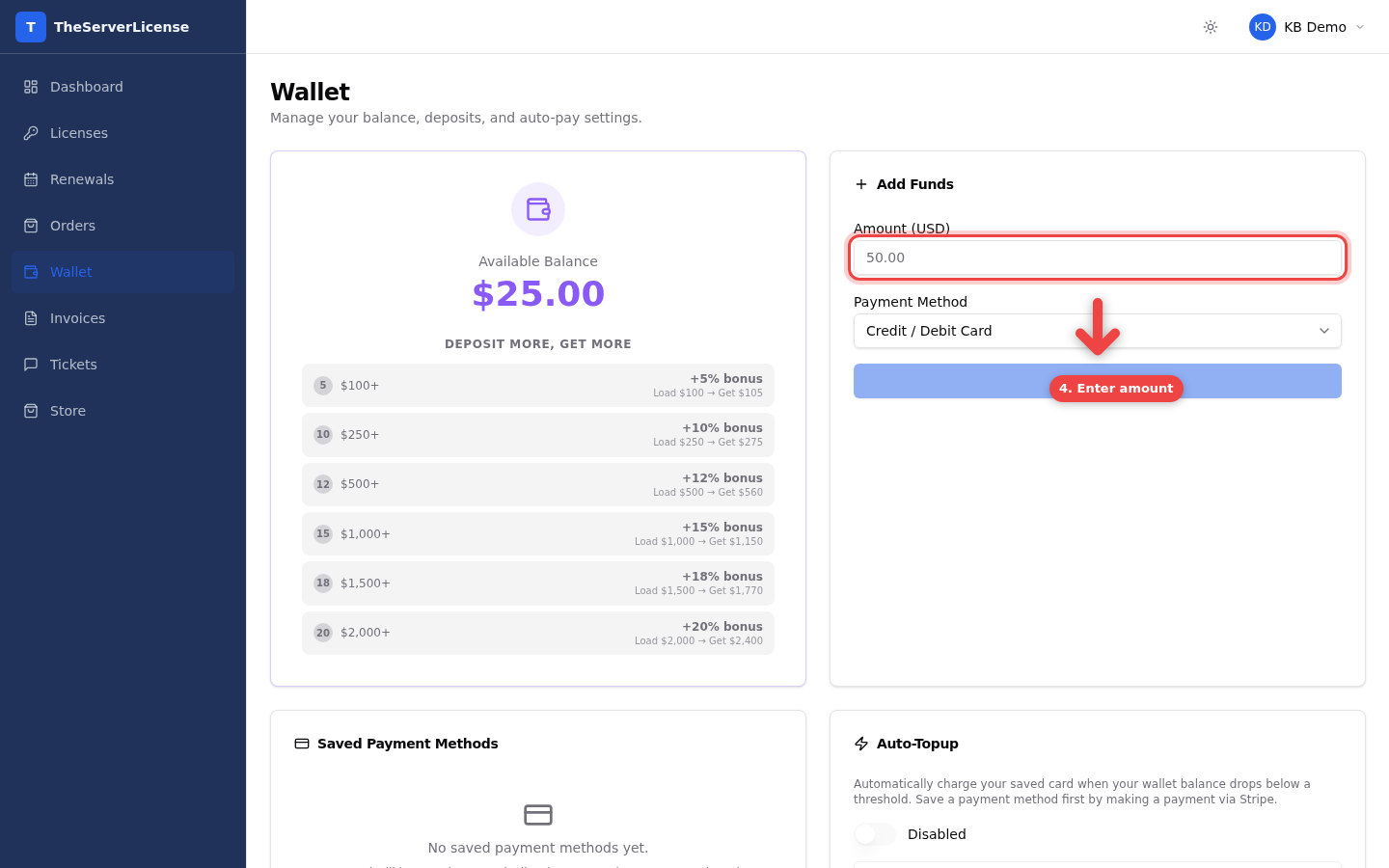
4. Enter your amount in the Add Funds form
The Amount (USD) field works out the bonus as soon as you type a number over $100. You can pay by card or crypto.
Watch the video
Watch the step-by-step GIF

Bonus tier reference
| Deposit | Bonus | You receive | Effective discount |
|---|---|---|---|
| $100 | +5% | $105 | 4.76% |
| $250 | +7% | $267.50 | 6.54% |
| $500 | +11% | $555 | 9.91% |
| $1,000 | +17% | $1,170 | 14.53% |
| $2,000 | +25% | $2,500 | 20.00% |
Example: Deposit $2,000 → your wallet balance becomes $2,500. On a license that costs $9.99/month, that $500 of free credit pays for ~50 extra months of service.
Frequently asked
Is there an expiry on wallet credit?+
No. Credit stays in your account until you spend it. Deposit once, draw down over months or years.
Can I withdraw wallet balance back to my bank?+
Wallet credit is non-refundable and for use on the TheServerLicense.com platform only. Before depositing a large amount, make sure you have license purchases or renewals that will use it.
Does the bonus apply only on the first deposit?+
No. Every deposit of $100 or more earns the bonus. Deposit $500 today, $500 next month — both get their tier bonus separately.
Can I stack the wallet bonus with other discounts (promo codes, long billing cycles)?+
Yes. Wallet bonus applies when you deposit. When you spend the wallet balance, you still get every other discount — promo codes at checkout, long-billing-cycle discounts, multi-IP bundles, everything stacks.
What payment methods are accepted for deposits?+
Card and crypto (Bitcoin, USDT, Ethereum and more). PayPal is not available at the moment; we may offer it again in future.
Can I set up auto-topup so I never run out?+
Yes. The Auto-Topup panel on the Wallet page lets you set a threshold — when your balance drops below it, we automatically charge your saved payment method for a set amount. You need to have paid at least once with a card first so we have a method to charge.
What happens if my deposit payment fails?+
The deposit isn't created. No wallet credit is added. You'll see the failure at checkout and can try again with a different method. Nothing pending, nothing lost.
Can I see what I've spent from my wallet?+
Yes. The Wallet page shows a full transaction history — every deposit, every invoice paid from wallet, every refund. Each row links back to the related order or invoice.
Next steps
- Order your first license — apply wallet credit at checkout
- How to pay with crypto — deposit via Bitcoin / USDT / ETH
- Cheapest cPanel license — stack wallet bonus with long-billing discount for up to 48% off
Have a question we didn't cover? Email [email protected] — we reply within a few hours.